Back to Projects

3DCloud Room Planner

An enterprise retail whitelabel 3D room planning tool, for consumers designing their own spaces, and design professionals closing sales.

Role

UX Design & Research

Category

Enterprise SAAS Design

Clients

Lowe's, Home Depot, B&Q, Howdens

3D Cloud (formerly Marxent) builds whitelabel room planning software for enterprise retail clients: Lowe's, B&Q, Howdens, and Home Depot. The product lets consumers design their own kitchens, bed/bath/living rooms, and outdoor spaces in 3D, then purchase directly through the retailer's e-commerce channel.


I spent four years designing across the entire platform, from core drawing tools and navigation architecture, to spatial features like ceiling planes and stairs, to mobile consumer journey strategy and prototyping. Every design decision lived inside a dense web of constraints: a real-time 3D rendering engine, a whitelabel system serving multiple brand identities simultaneously, and enterprise client requirements that frequently conflicted with consumer usability goals.


This is the story of how that platform grew.

Chapter 1 — The Merge

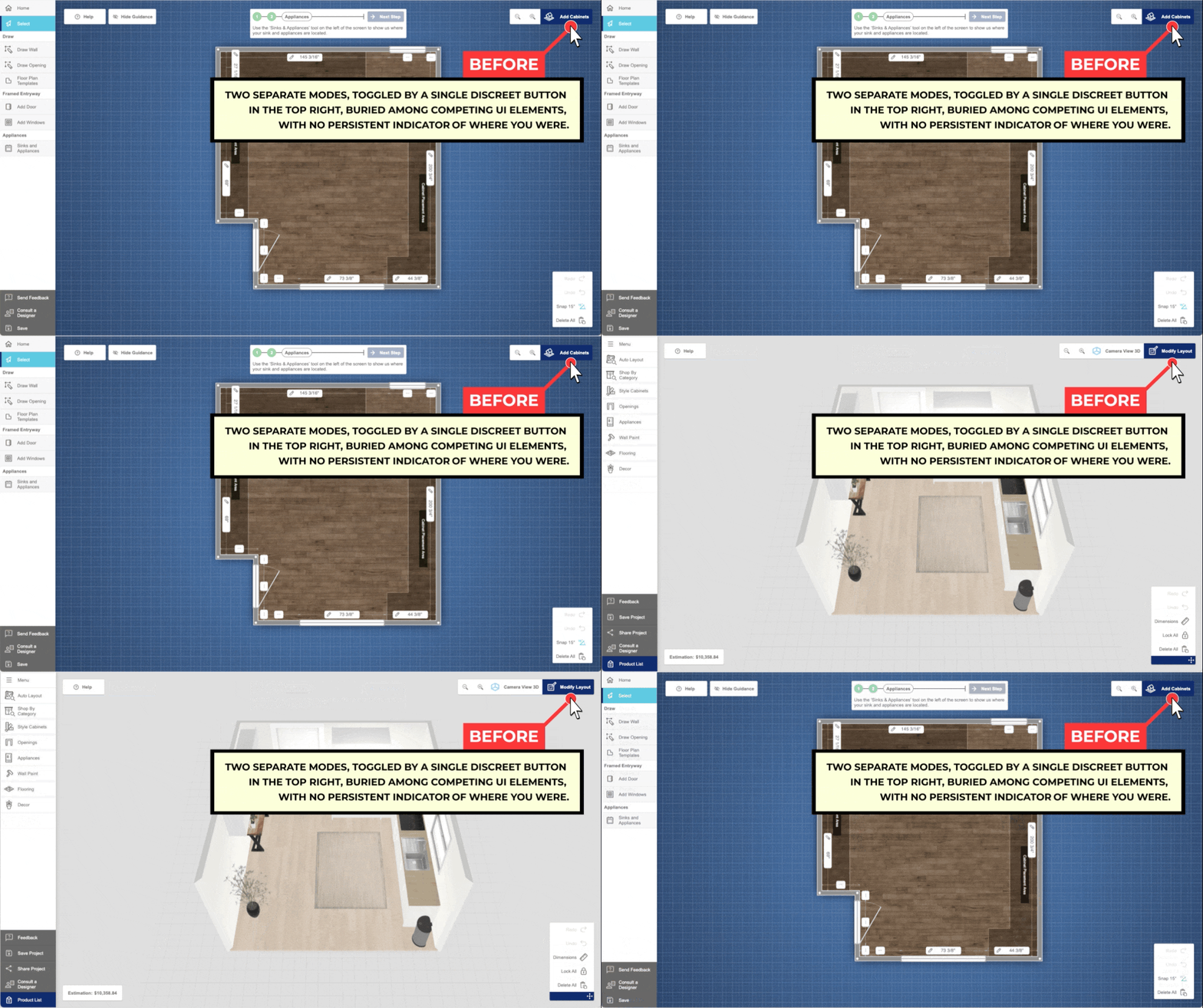
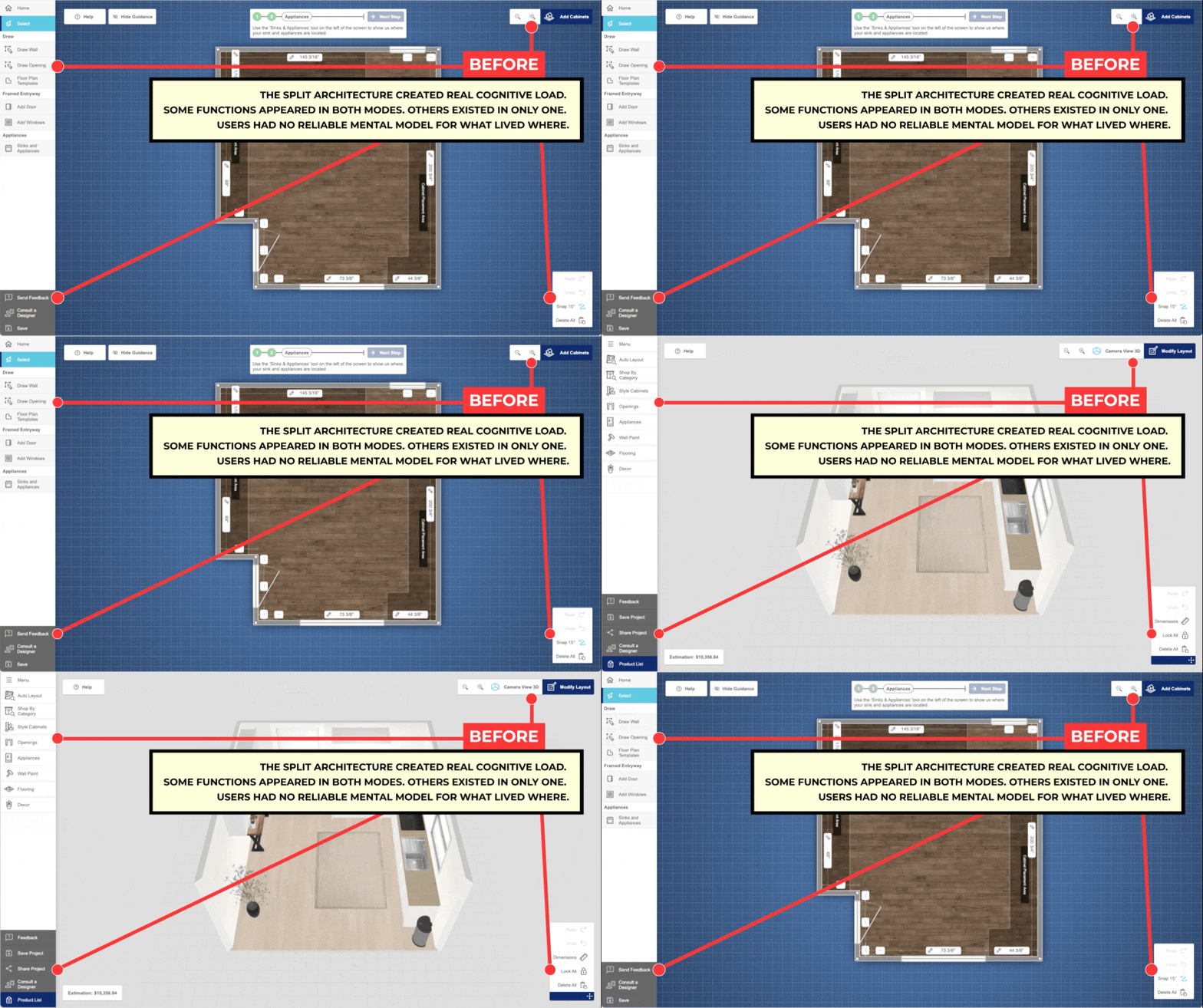
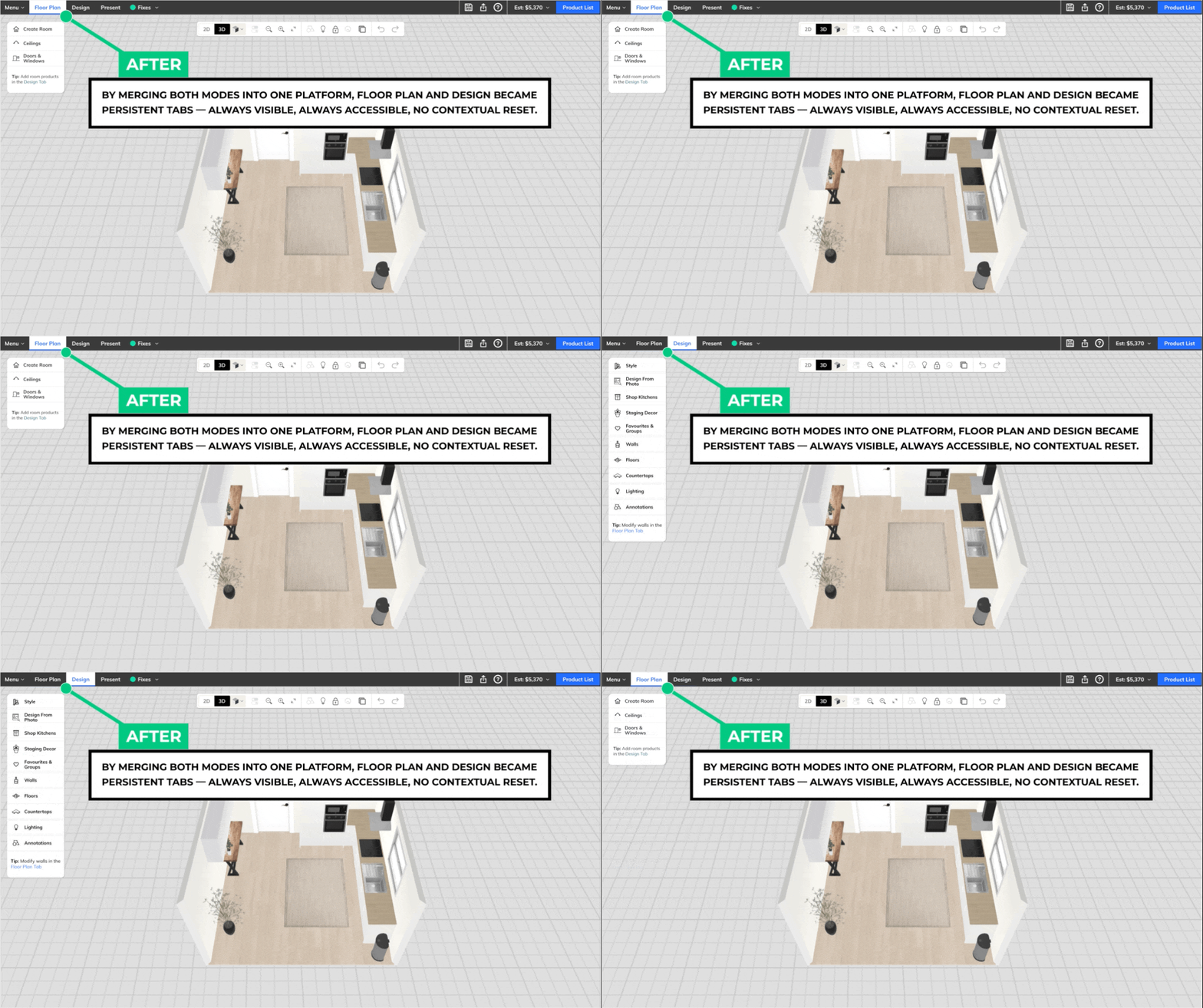
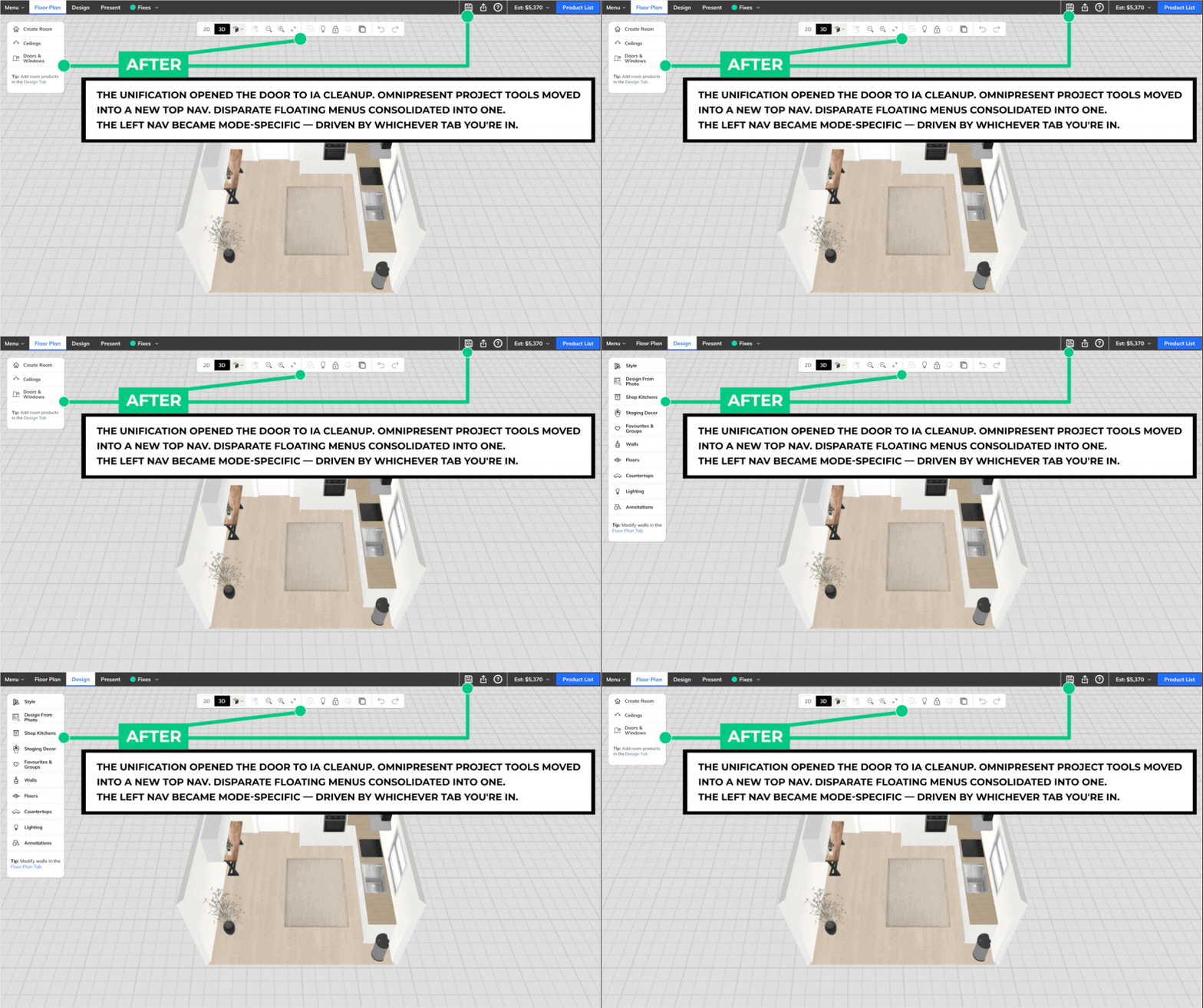
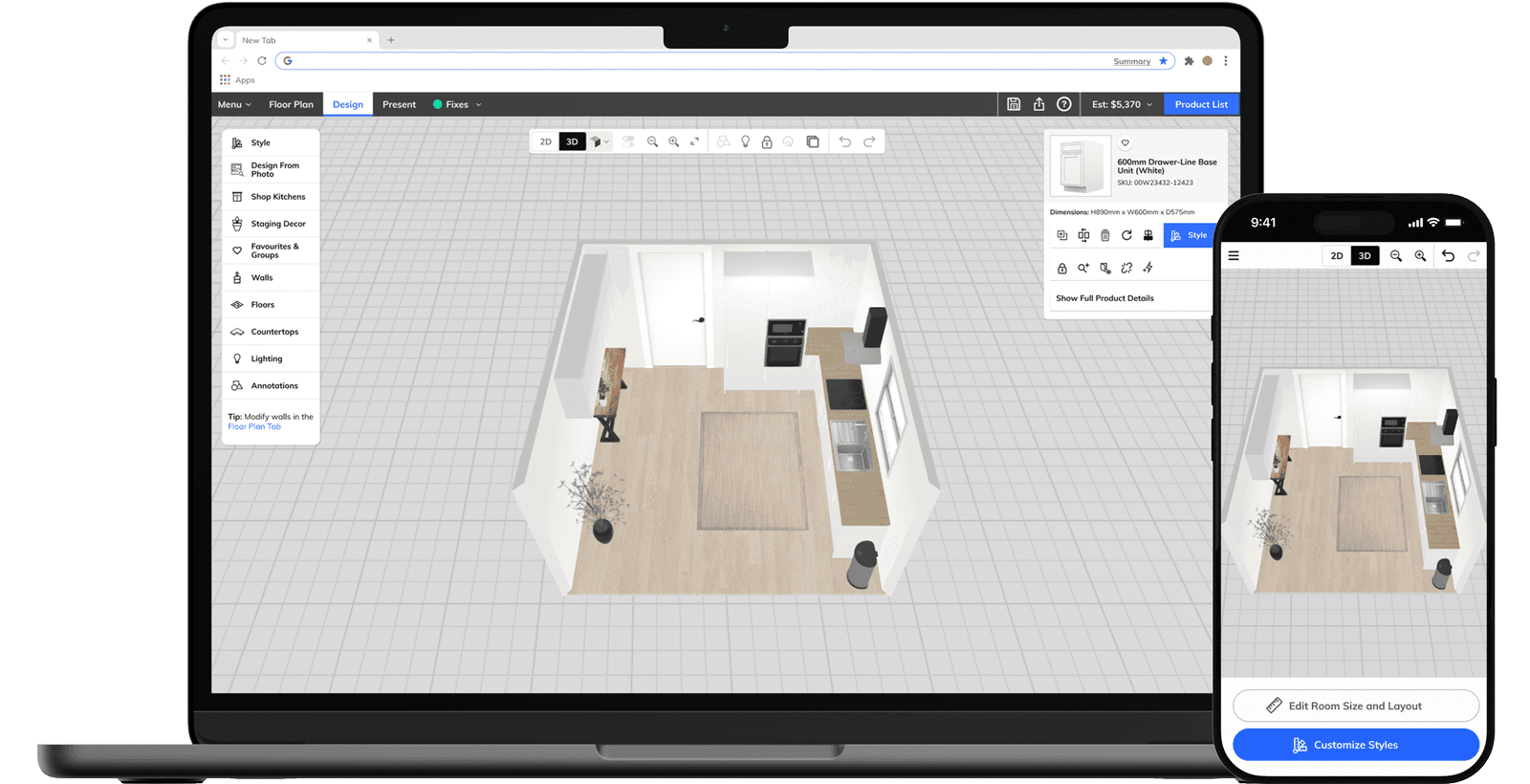
When I joined, RoomPlanner existed as two distinct modes stitched together by a single button. Blueprint Mode was a 2D top-down floor plan tool. Design Mode was a 3D environment where products were placed, styled, and purchased. Switching between them meant a complete visual and contextual reset: different canvas, different navigation, different mental model. The unifying principle was straightforward: keep the 3D room persistent across both modes. Blueprint Mode and Design Mode became Floor Plan and Design, persistent tabs in a top navigation bar, always visible regardless of where you were in the experience. Switching modes no longer felt like leaving. It felt like changing tools. Because RoomPlanner is a whitelabel platform, every structural decision had to be brand-agnostic by default and brand-expressive through theming, working as fluently in B&Q's color system as it did in Howdens'.

Chapter 2 — Decking

Decking was the first major feature built on the unified platform, and deliberately the hardest one. Lowe's and Home Depot both wanted outdoor planning capability. Internally, we saw it as a proof of concept: if the new architecture could handle decking, it could handle anything. Every other RoomPlanner application lived on a single floor plane. Decking introduced elevation changes, multi-level structures, and stair logic that didn't exist in our other applications. The core design challenge was merging drawing, editing, and spatial decision-making into a single unified experience, one where users could freely move between layout thinking and design thinking without hitting a mode wall. The stair system was where that challenge was sharpest. Riser count, tread depth, the relationship between deck height and stair run, all of it had to be configurable by a consumer with no architectural knowledge, without surfacing the underlying complexity. It held up. Client reception from Lowe's and Home Depot was strong. SUS score: 4.8 / 5.

Chapter 3 — Ceilings

Ceilings started as a single client request. Once built, it rolled out across the platform. The challenge was that users had never had to think about the ceiling before. It was always implicit, a byproduct of wall height. Making it an active design surface meant introducing a mental model that didn't exist anywhere else in the product: extruding a plane from the top edge of a wall and transforming it from there. The design challenge was finding the right balance between accessibility and power. An MVP ceiling tool is easy to learn but limiting. A fully customizable one handles complex multi-plane scenarios: vaulted sections, angled drops, intersecting geometries. But only if users can understand how individual planes relate to each other holistically. The solution had to do both: give users just enough individual control over each plane, while handling the hard part, calculating seams along collisions between planes, automatically. The placement of Ceilings within the navigation was a contested decision. My recommendation, supported by an IA card sort and tree test run by our UX researcher, was to house it in the left nav alongside other contextual tools. It shipped as a top-level tab instead, a call made above the design team. The research that followed validated the original recommendation, and a navigation correction is in progress.

Chapter 4 — Mobile

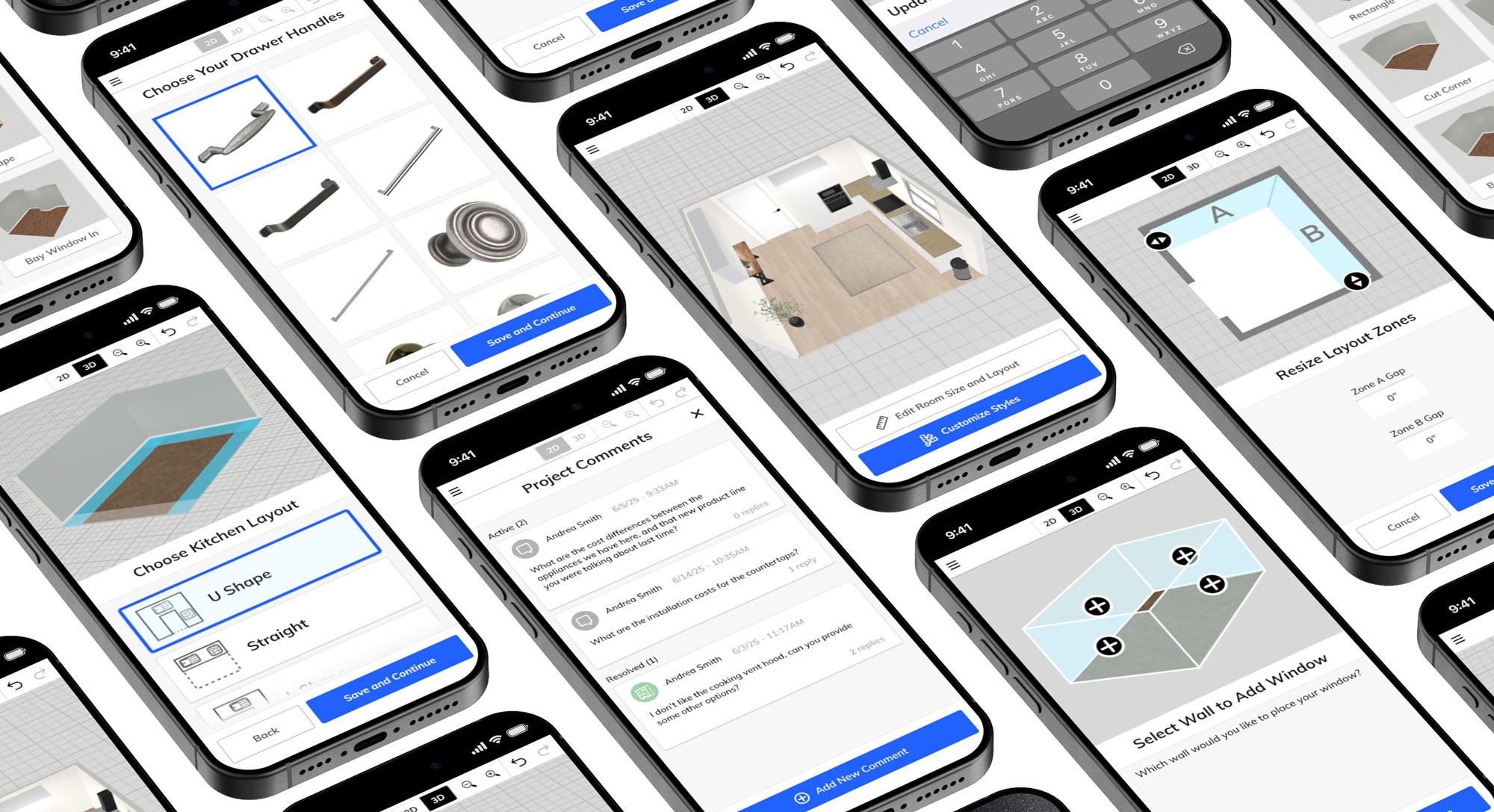
The desktop RoomPlanner experience was built for someone who sits down with intention: opens a browser, starts a project, spends time. Mobile is a different consumer entirely. They're in a store, or on a couch, or killing ten minutes. The interaction model that works for one doesn't work for the other, and a scaled-down version of the desktop wasn't going to cut it. The core thesis was making constrained feel user-driven. Mobile planning tools have hard limits: smaller screens, touch interactions, backend constraints on what can be configured in a lightweight session. The design response wasn't to expose those limits. It was to sequence around them. Choices were reordered to front-load the decisions users care most about. Progressive disclosure kept the interface from feeling overwhelming. The flow was engineered to feel like flexibility even where the system was tightly bound. I designed the end-to-end mobile consumer journey in Figma: room shape selection, kitchen configuration, product styling, asynchronous collaboration tools. I prototyped. We tested and validated with end users.

Outcomes

The unified platform delivered. A fragmented two-mode application became a single coherent experience, and the architecture proved scalable across every feature that followed.


Decking was the first proof point. Designed as the hardest possible test of the new platform, it shipped to strong reception from Lowe's and Home Depot and earned a SUS score of 4.8 out of 5 from end users. If it worked for decking, it would work for the rest, and it did.


Ceilings followed, rolling out across all clients after beginning as a single client request. The mobile consumer journey completed its validation testing and is currently in active development, with a fit and finish review recently completed.


Four years. One platform. Built to scale.